The Executive Summary
- Use a simple 4-block day: Wake → Away → Return → Sleep. If your home is empty for 4 hours or more, programming an “Away” block usually yields measurable savings.
- The Heat Pump Trap: If you have a heat pump with AUX/backup heat, deep temperature setbacks can actually backfire, triggering expensive emergency heat. Keep adjustments small (1–3°F).
- Summer Cooling Strategy: The Department of Energy (DOE) suggests finding a comfortable daytime temperature (usually 75–78°F) and raising it by about 7°F when no one is home.2
- Stop Guessing: Run one specific schedule for 2–3 weeks, then use your thermostat’s app to compare runtime hours against similar-weather days.
Step 1: Identify Your HVAC System (Because Schedules Are Not One-Size-Fits-All)
Before you copy and paste a schedule into your Nest or Ecobee app, you must know what kind of equipment is sitting in your basement or yard. Applying the wrong schedule to the wrong equipment is the number one reason people see their bills go up after buying a smart thermostat.
| System Type | How You Should Schedule It |
|---|---|
| Furnace/Boiler (Gas or Oil) | Normal, deep setbacks work wonderfully here. The DOE notes you can save up to 10% annually by resetting these thermostats when you’re asleep or away.1 |
| Heat Pump with AUX Heat | Proceed with extreme caution in the winter. Deep setbacks force the system to use inefficient backup heating to recover. Keep adjustments tight. |
| Slow-Response Heating (Radiant/Steam) | Radiant floor heating takes hours to warm a slab. Use very small changes and program your “Wake” time to start 2 to 3 hours before you actually get out of bed. |
Step 2: Pick Your Starting Temperatures
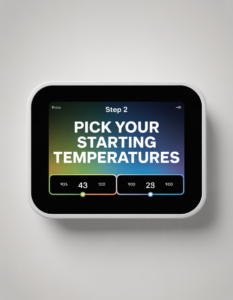
The numbers below are excellent, scientifically backed starting points. However, comfort is highly subjective. We recommend setting these base temperatures and then adjusting them by only 1°F every few days until you find the perfect balance between comfort and savings. Remember: households with elderly family members or infants should always prioritize safe comfort over aggressive energy savings.
Winter Heating Starting Points
- Home & Awake: Start at 68–70°F (20–21°C). This is the standard DOE recommendation for balancing warmth with reasonable energy usage.1
- Sleeping: Drop to 62–66°F (17–19°C). Not only does this save energy, but sleep specialists widely agree that cooler rooms promote deeper, more restorative sleep.
- Away from Home: Set to 60–64°F (16–18°C). Dropping the temperature while the house is empty is where your real financial returns are generated.
Summer Cooling Starting Points
- Home & Awake: The DOE and ENERGY STAR suggest starting around 75–78°F (24–26°C).2 Use ceiling fans to make these higher temperatures feel significantly cooler on your skin.
- Sleeping: Keep it similar to your daytime temp, or drop it slightly if you struggle to sleep in the heat. Focus on managing indoor humidity.
- Away from Home: Raise the setpoint by roughly 7°F when the house is empty. There is no reason to air-condition your furniture while you are at the office.
Step 3: The 5 Proven Schedule Templates

Most homes operate perfectly on a 4-block schedule: Wake (Comfort), Away (Efficiency), Return (Comfort), and Sleep (Efficiency). Choose the template that best matches your lifestyle below, input it into your app, and let it run for two weeks before tweaking.
Template 1: The 9-to-5 Commuter
The classic schedule. Utilize your thermostat’s “Smart Recovery” feature so the house begins warming up or cooling down before your alarm goes off at 6:00 am.
- 6:00 am: Wake (Comfort temp)
- 8:30 am: Away (Efficiency temp)
- 5:00 pm: Return (Comfort temp)
- 10:30 pm: Sleep (Efficiency temp)
Template 2: The Work-From-Home (WFH) Professional
If you work from home, do not use deep “Away” settings during the day—you will just end up miserable and manually overriding the thermostat, which defeats the purpose. Instead, use a very light daytime setback.
- 6:30 am: Wake (Comfort temp)
- 9:30 am: Light Setback (Drop by only 1–2°F so the system rests, but you remain comfortable at your desk)
- 5:30 pm: Evening (Comfort temp)
- 11:00 pm: Sleep (Efficiency temp)
Template 3: Kids at School
This features a shorter “Away” window, bringing the house back to a comfortable temperature before the school bus drops the kids off in the mid-afternoon.
- 6:00 am: Wake (Comfort temp)
- 9:00 am: Away (Efficiency temp)
- 2:30 pm: Return (Comfort temp)
- 10:00 pm: Sleep (Efficiency temp)
Template 4: The Night Shift Worker
Night shift workers often fight their homes’ natural thermal cycles. You need efficiency while you are on the clock, and aggressive comfort management while you sleep through the heat of the day.
- 3:00 pm: Wake (Comfort temp)
- 6:30 pm: Away (Head to work, switch to efficiency)
- 8:00 am: Return (Comfort temp)
- 10:00 am: Sleep (Daytime sleep setting)
Template 5: The Irregular Schedule (Freelancers & Gig Workers)
If your schedule changes every day, static time blocks will frustrate you. Your best strategy is to set a solid “Sleep” and “Wake” block, but rely entirely on Geofencing (tracking your phone’s location) or the thermostat’s built-in motion sensors to trigger “Auto-Away” when you leave the house unexpectedly.
Crucial Heat Pump Tips (How People Accidentally Spend More)
If you have an electric heat pump, pay close attention. In the winter, heat pumps pull ambient heat from the outside air. They are incredibly efficient but heat your home slowly. If you set your thermostat to drop 10 degrees at night, the heat pump will struggle to raise the temperature quickly the next morning. To compensate, the system will panic and turn on its Auxiliary (AUX) or Emergency Heat—which is essentially a giant, massive-energy-draining toaster coil inside your ducts.
The DOE explicitly warns that programmable thermostats can cause heat pumps to operate inefficiently if not managed properly.1 To avoid massive electric bills:
- Never use a setback larger than 1 to 3 degrees in the winter.
- Ensure your smart thermostat has a “Heat Pump Balance” or “Smart Recovery” algorithm enabled to prevent the AUX heat from triggering unnecessarily.
- If you see “AUX Heat” running every morning on your app’s history, your setback is too deep.
Common Beginner Scheduling Mistakes
- The “Slam it to 50°F” myth: Setting your thermostat aggressively low when you leave for the weekend does not save money if the system has to run continuously for 12 hours to reheat the drywall and furniture when you return. Moderate setbacks are better.
- Constant Overrides: If you find yourself manually adjusting the dial every single day, your schedule is failing you. Adjust the base schedule until it runs invisibly in the background.
- Poor Thermostat Placement: If your thermostat is mounted in direct sunlight, next to a drafty door, or right above a hot TV, it will read false temperatures and ruin your schedule’s efficiency.
Frequently Asked Questions
Do smart thermostats really save money?
Yes, but primarily because they enforce consistency. An old manual dial thermostat only saves money if you actually remember to adjust it twice a day. A smart thermostat automates your “away” and “sleep” reset periods, ensuring you never accidentally heat an empty house. Results heavily depend on your home’s insulation and HVAC type.
Should I turn my system off completely when I go to work?
No. Turning the system off entirely allows the humidity to spike in the summer and the internal structure of the house to freeze in the winter. It takes far more energy to completely re-condition a house than it does to maintain a moderate “Away” setback.
References & Sources
- U.S. Department of Energy (Energy Saver). “Programmable Thermostats.” Provides guidance on setbacks, winter setpoints, heat pump limitations, and slow-response systems.Read Source ↩
- U.S. Department of Energy (Energy Saver). “Home Cooling Systems.” Explains efficient daytime cooling benchmarks and the 7-degree away rule.Read Source ↩
Disclaimer: This article is for educational purposes only. Savings and optimal settings vary heavily by home layout, climate zone, insulation quality, and HVAC equipment type. Always consult your equipment manufacturer’s manual for specific operational limits.